
Anker 3-in-1 Cube Wireless Charger Buying Guide for Small Spaces
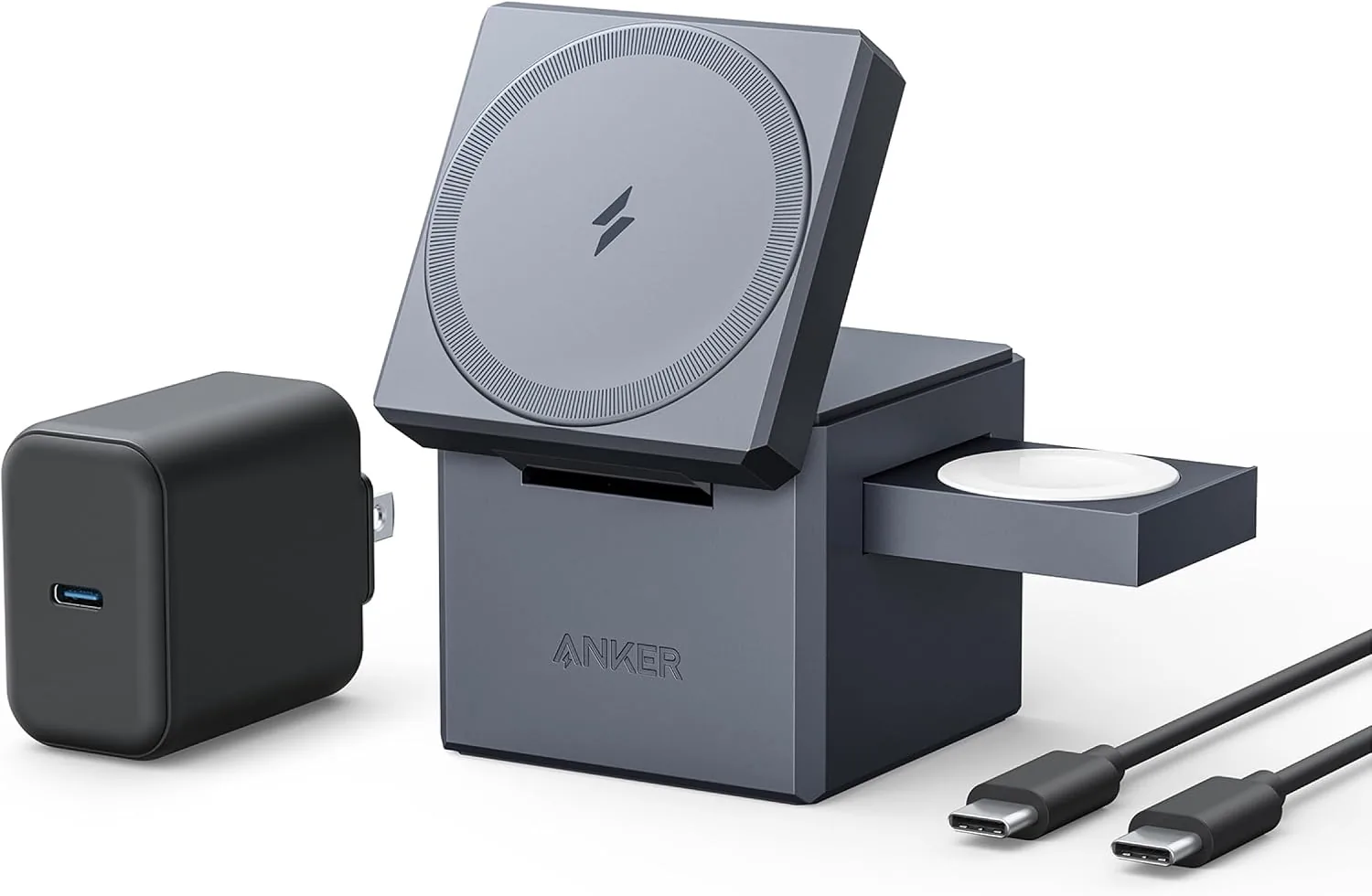
If you want one charger for your everyday Apple devices without turning a small desk or nightstand into a mess of cables, the Anker 3-in-1 Cube wireless charger is worth considering. The right choice is not just about brand or looks. It comes down to your available space, the devices you charge together, and whether you want a charger that stays tucked away or remains visible and ready to use.
Small-space buyers often make the same mistake: they shop by product photos alone. A charger can look clean online and still block a lamp base, crowd a bedside book, or create awkward cable routing once it is sitting on the furniture you use every day.
Who Should Choose the Anker 3-in-1 Cube Wireless Charger
A cube-style charger suits people who want less visual clutter. Instead of spreading charging points across a wide frame, it keeps the footprint compact and centers everything around one small hub.
This style is a strong fit for buyers who:
- Use a small nightstand, shared desk, or narrow shelf
- Charge the same Apple devices in the same place every day
- Prefer a cleaner look over a more open, display-style stand
- Want a compact wireless charging station instead of several separate chargers
It is less ideal for people who constantly pick devices up and put them back throughout the day, or who want every device clearly visible at all times. A more open stand can be better for quick glances and easier grab-and-go use.
In simple terms, a cube is about compression. It gives up some spread-out visibility in exchange for a smaller physical footprint. If your main problem is limited surface space, that tradeoff often makes sense.
Measure the Space on Your Desk or Nightstand
Before you compare features, measure the exact spot where the charger will live. Not the whole tabletop. The real space. Include the lamp, clock, speaker, glasses case, and anything else already competing for room.
Three checks matter most:
Footprint space: Measure the width and depth of the open area. A cube-style charger helps only if it fits without pushing other essentials to the edge.
Vertical clearance: If the charger props up a phone, make sure it will not sit under a shelf, cabinet lip, or wall decor that gets in the way.
Cable path: Even a wireless charger still needs power. Check where the cord will run so it does not cut across the front of the nightstand or bend sharply behind furniture.
This is where many first-time buyers get tripped up. They focus on the device charging wirelessly and forget about the one visible cable powering the station. In a small room, cable placement can matter as much as the charger itself.
If you are comparing options in this catalog, the Desktop Charging Stations category runs from $24.99 to $139.98. That range tells you something useful: compact charging setups can range from basic to more premium, so it helps to decide early whether your priority is lower cost, less clutter, or fewer separate chargers on the surface.
Confirm Which Devices You Actually Charge Together
The phrase “3-in-1” sounds simple, but it helps to translate it into your daily routine. Ask yourself which three devices really need overnight or desk-side charging in the same place.
For many Apple users, the pattern is straightforward:
- Phone
- Watch
- Earbuds
If that is your routine, a cube-style design is appealing because it supports one consistent habit: drop all three devices in the same place at the end of the day.
If your routine is different, the decision changes. Maybe you charge a phone, tablet, and laptop at one desk. In that case, a wireless 3-in-1 station may not solve the whole problem. A multiport wired charger may be the better foundation, with wireless charging added only where it helps.
This is also where the idea of a MagSafe charging stand matters. In practical terms, that style is built around a magnetic upright phone position rather than only a flat charging pad. If you like keeping your phone upright and easy to see, that design may suit you better. If you want the smallest possible footprint, a more folded or compact form may be the better match.
Anker 3-in-1 Cube Wireless Charger Review: Cube vs. Stand
An Anker 3-in-1 cube wireless charger review should not look only at brand or appearance. The more useful comparison is cube-style versus always-visible stand-style charging.
Here is the practical difference:
- Cube-style: better for reducing visual clutter, travel-friendly habits, and tighter surfaces
- Stand-style: better for quick placement, easier viewing, and a more display-ready phone position
The catalog excerpt offers two useful reference points, even though they serve different charging needs.
| Product | Catalog details | Best fit | Main tradeoff |
|---|---|---|---|
| Belkin MagSafe Charger Compatible 3-in-1 Magnetic Charging T | Listed as a 3-in-1 magnetic charging option with the latest Qi2 technology; $24.99; rated 4.1/5 from 113 reviews | Buyers who want a visible MagSafe charging stand style and a lower entry price in the catalog | A stand-style layout can draw more visual attention, even if it keeps devices easy to reach |
| UGREEN Nexode 100W GaN USB C Charger, 4-Port Compact Foldabl | Listed as a 100W, 4-port compact foldable USB-C charger | Buyers building a mixed wired setup for several devices, especially when wireless is only part of the plan | Not a 3-in-1 wireless station, so it solves cable consolidation in a different way |
The Belkin option is a useful benchmark during the buying process because it represents the more visible magnetic stand approach. If you like seeing your phone upright and want a familiar stand presence, that style may feel more natural.
The UGREEN charger answers a different question: do you need a dedicated wireless station, or do you need fewer adapters and more charging ports? On some small desks, a compact foldable multiport charger plus one simple phone stand creates a cleaner result than a specialized 3-in-1 unit.
That is the key filter. Do not compare chargers only by shape. Compare them by the job you need them to do.
Build a Minimal-Cable Apple Charging Setup
A minimal-cable setup is not the same as a no-cable setup. The goal is to reduce cable sprawl on the surface you use, not eliminate every wire in the room.
For first-time buyers, the cleanest approach usually looks like this:
Choose one charging zone, not two. If your phone charges at the desk during the day and your watch charges at the nightstand at night, a 3-in-1 station may end up underused.
Match the charger to your real device trio. If you only charge two devices together, a 3-in-1 design may be more charger than you need.
Route the power cable behind furniture or along the back edge. Surface clutter often comes from cable direction, not charger size.
Keep one overflow port or backup charger elsewhere. That prevents temporary extras from taking over the main charging spot.
If your priority is one tidy bedside solution for Apple gear, the Anker 3-in-1 Cube wireless charger style is easy to justify. If your priority is a mixed-device workstation, look more closely at how many wired devices you actually plug in before committing to a wireless-first setup.
Common Buying Mistakes and How to Avoid Them
- Mistake: Buying for appearance alone.
Fix: Measure the exact placement area and cable route first. - Mistake: Assuming “3-in-1” automatically matches your devices.
Fix: Write down the devices you charge together most often. - Mistake: Choosing compact storage when you really want quick visibility.
Fix: Decide whether you want a subtle cube or a stand that keeps devices in view. - Mistake: Ignoring wired alternatives for mixed-device desks.
Fix: Compare a wireless station with a compact multiport charger before you buy.
What to Decide Before You Buy
Use these takeaways before opening another product page:
- Measure the real charging spot, including clearance and cable path.
- List the exact devices you want to charge in one place.
- Choose between a compact wireless charging station and a more visible MagSafe charging stand based on how you use the space, not just how it looks.
- Use the Belkin MagSafe Charger Compatible 3-in-1 Magnetic Charging T as a reference point for stand-style 3-in-1 value at $24.99, and the UGREEN Nexode 100W GaN USB C Charger, 4-Port Compact Foldabl as a reference point for a compact multiport alternative.
- If your goal is the smallest, cleanest Apple charging zone, a cube-style design is usually the strongest match.
A small-space charger should remove friction, not add another object to work around. Start with the shape that fits your routine. The cleaner setup follows from that choice.
Related Products
 USD 22.49
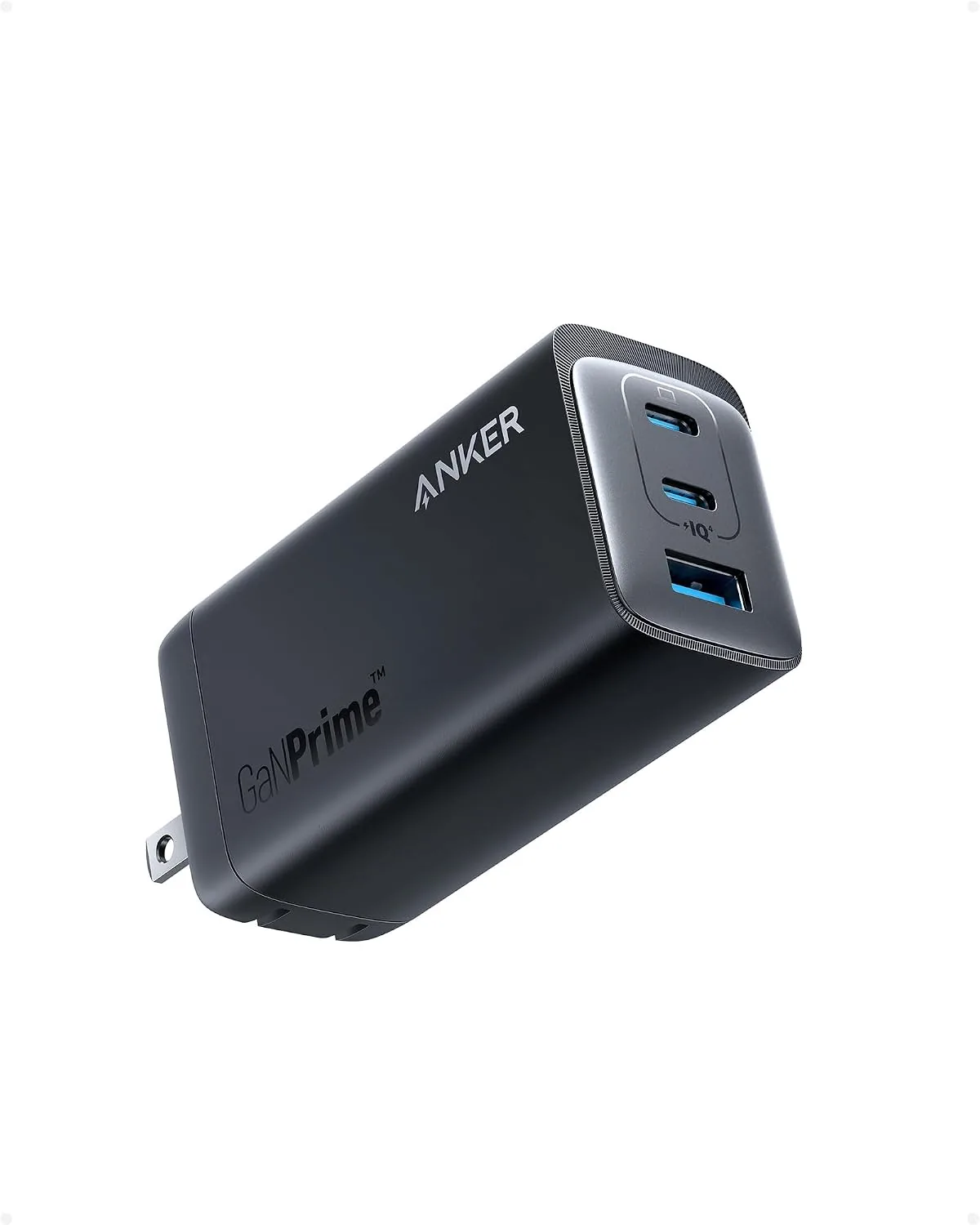
Anker 737 GaNPrime, 120W USB C Charger, PPS 3-Port Fast Compact Foldable Wall Charger for MacBook Pro/Air, iPad Pro, iPhone 16/Pro, Galaxy S22/S21, Dell XPS 13, Note 20/10+, and More Devices
Charge Multiple Devices Simultaneously: With two USB-C ports and one USB-A port, this cha…
View Details
USD 67.49
Anker 3-in-1 Cube Wireless Charger, MagSafe Charging Stand, 15W Foldable Fast Charging Station for iPhone 17/16/15, Apple Watch 1-8/Ultra, AirPods (Adapter Included, Non-Battery)
3-in-1 Exclusively for Apple: A one-stop wireless charging solution for your iPhone, Appl…
View Details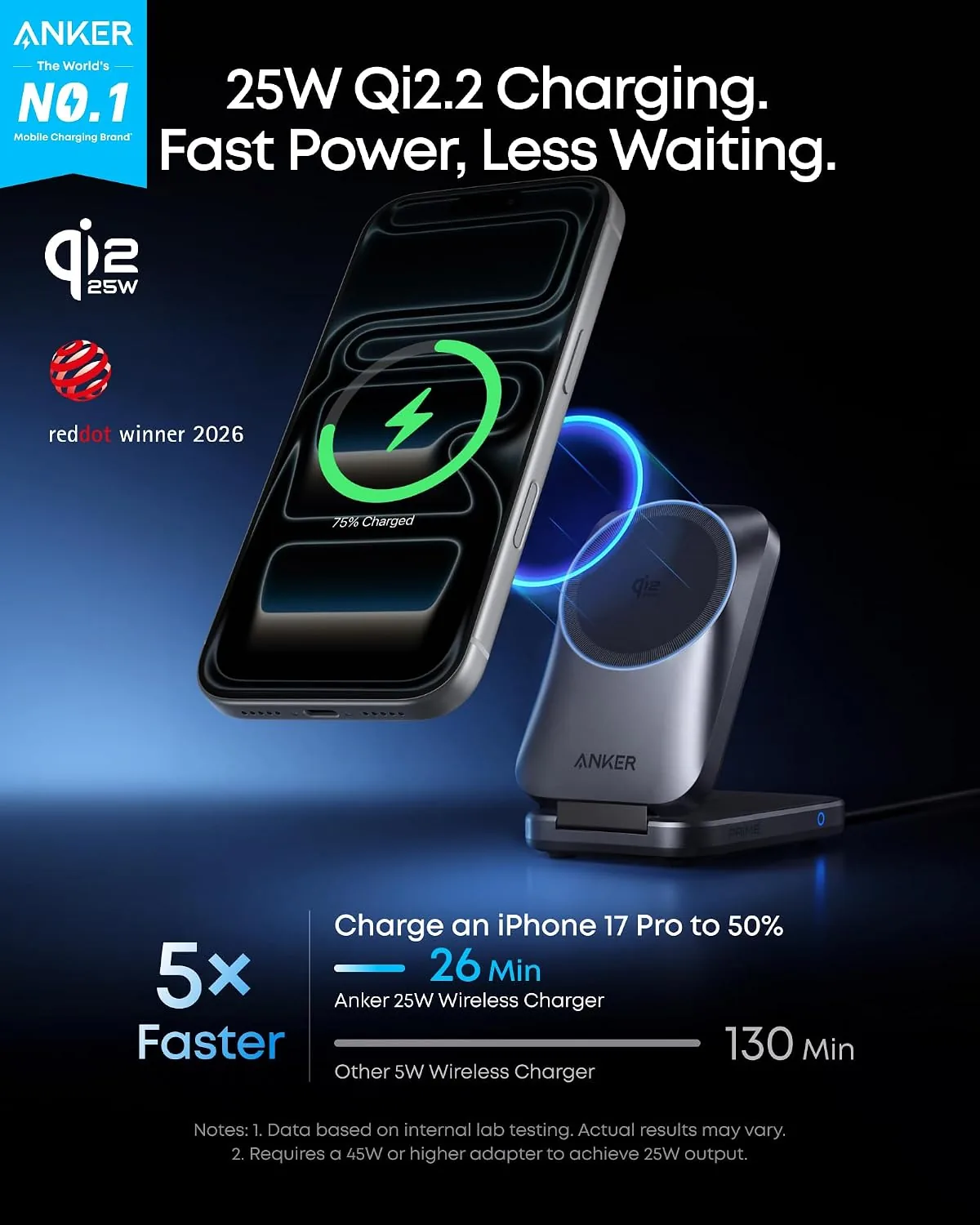 USD 67.49
Anker Prime 3-in-1 Wireless Charging Station & 3-in-1 Cube with MagSafe
25W Ultra-Fast MagSafe Charging: Delivers magnetic wireless power up to 25W using Qi2 tec…
View Details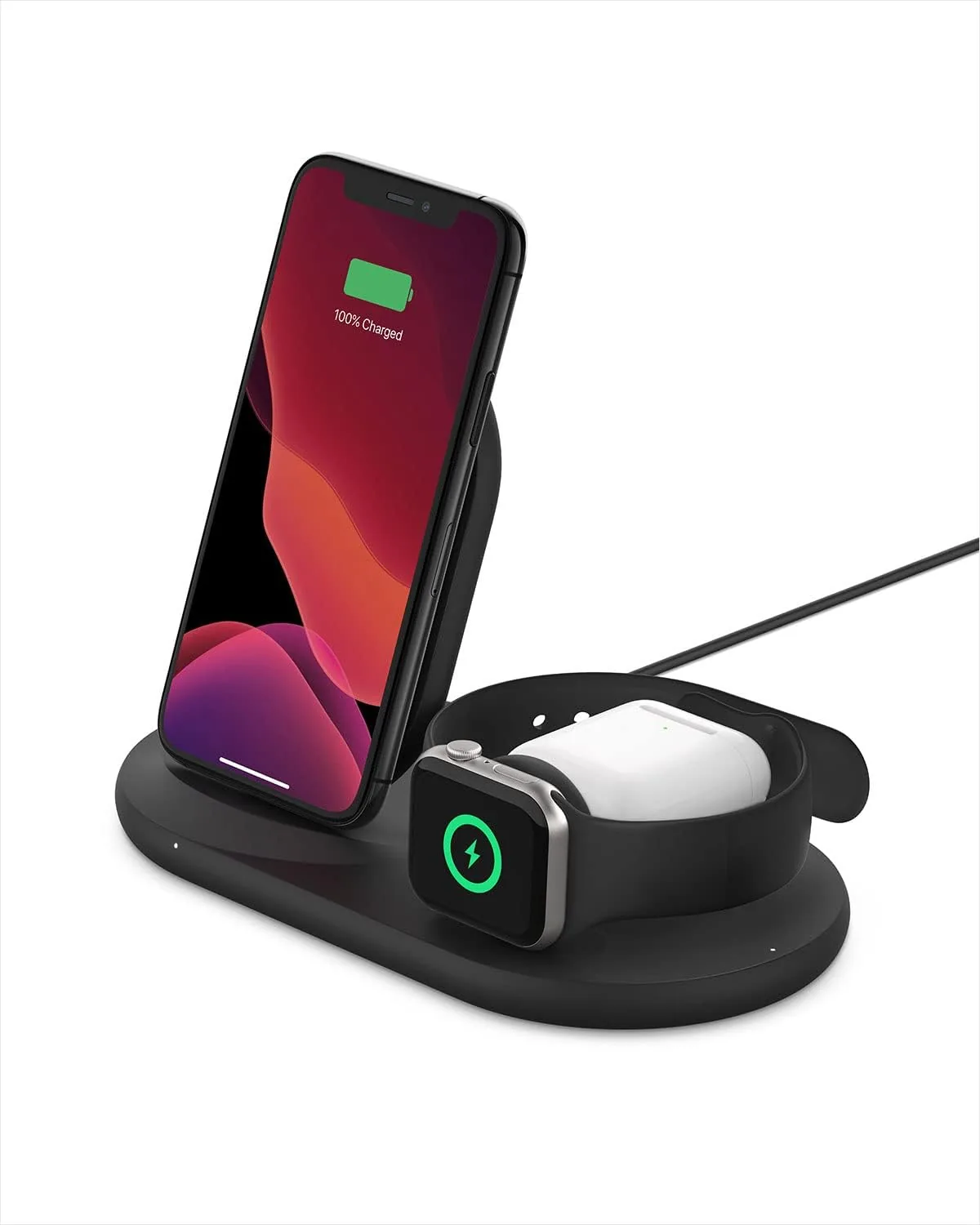 USD 81.74
Belkin 3-in-1 Wireless Charger - Fast Charging Stand for Apple iPhone, Apple Watch & AirPods Case Compatible Qi Station For Multiple Devices - Black
3-IN-1 CHARGER FOR COMPATIBLE IPHONES, APPLE WATCHES, & AIRPODS: Power your Apple iPhone …
View DetailsRelated Articles
- Ekrin Athletics Bantam Mini Buying Guide for Compact Deep-Tissue Care
- Desktop Charging Station Buying Guide for Cable-Managed Work Desks
- Desktop Charging Station Buying Guide for Minimalist Desk Setups
- Anker 3-in-1 Cube Wireless Charger Buying Guide for Foldable Apple Charging
- Mophie 3-in-1 Travel Charger With MagSafe Buying Guide for Frequent Trips
- Desktop Charging Station Buying Guide for Photographers and Camera Gear