
Anker Prime 100W 3-Port GaN Charger Buying Guide for Everyday Carry
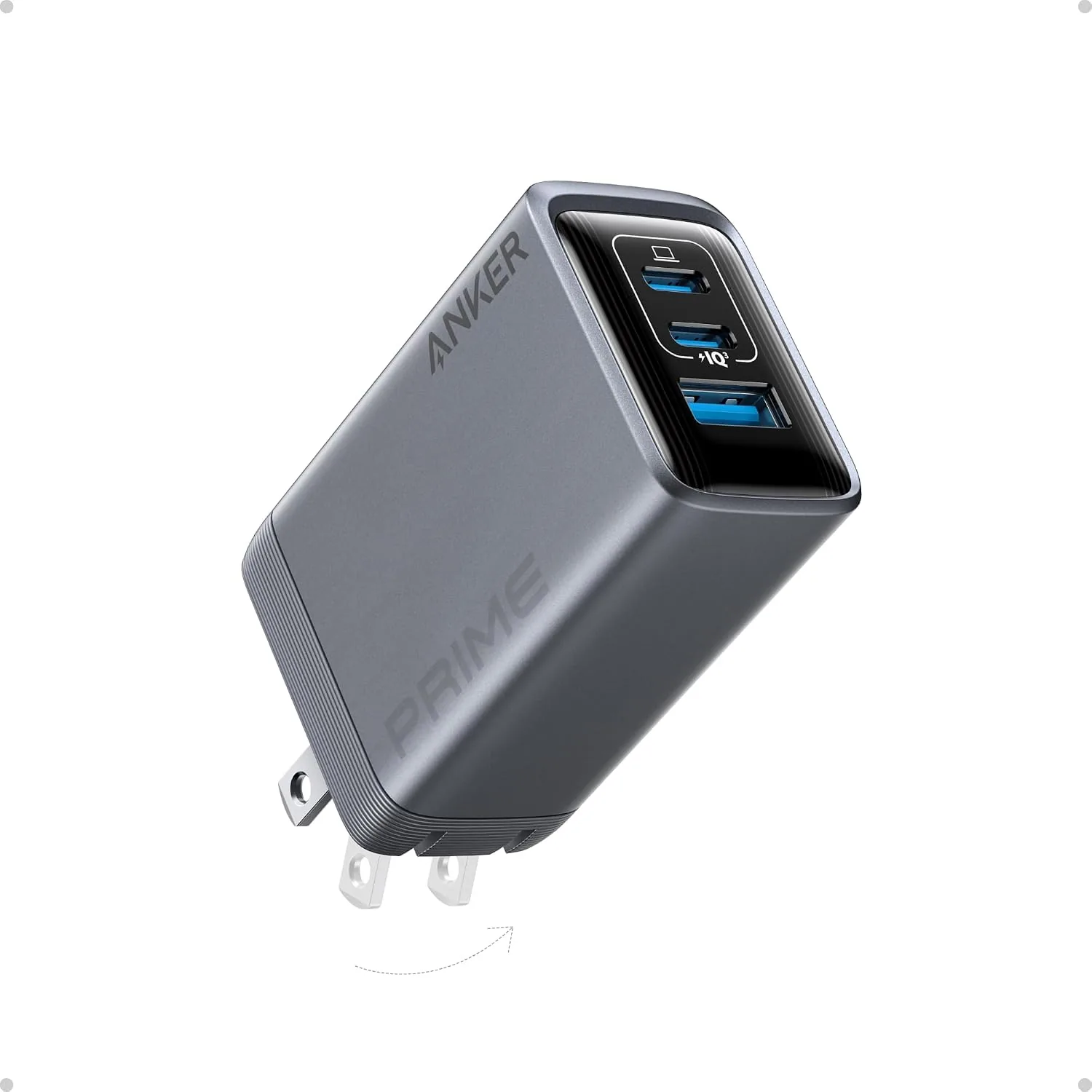
Anker Prime 100W 3-Port GaN Charger: Who It Actually Suits
A single 100W brick that replaces three wall adapters is the right buy if you carry a laptop plus two smaller devices — and the wrong one if you need to fast-charge two power-hungry laptops at once. The Anker Prime 100W 3-port GaN charger earns its spot in a bag because it splits total output intelligently across ports, letting one adapter run a full workday kit from a single outlet. Before ordering, confirm three things: that your laptop actually draws 100W, that your cables can carry it, and that three ports match how you really travel.
Here are the checks I run before recommending a 100W GaN charger for laptop use in an everyday-carry kit.
Start With What You'll Charge Together
List the devices you realistically plug in at the same time. Not the theoretical maximum — the Tuesday-afternoon reality. For most commuters, that's a laptop, a phone, and one accessory such as noise-cancelling headphones or a smartwatch.
That third slot is where a 3-port USB-C charger shines. Consider a typical carry: a work laptop, a phone, and a pair of over-ear headphones like the Anker Soundcore Space One ($99.99, adaptive active noise cancellation) — a device you top off weekly, not nightly. When the accessory battery is small relative to the laptop, the charger's power distribution barely notices it. The laptop keeps the lion's share; the accessories sip.
The math gets tighter with two large batteries. Pairing a 16-inch workstation with, say, Bose QuietComfort Ultra headphones ($379.00) and a tablet for overnight charging? Fine — slow overnight charging forgives a split output. But two laptops charging fast, simultaneously, during a layover is a different product category, covered below.
Laptop Requirements to Verify Before Buying
The most common mistake buyers make is assuming 100W total means 100W to every port. It doesn't. With all three ports occupied, output is divided, and a full-size laptop may drop into a slower charging tier. Usually that's acceptable — the machine still charges while you work — but verify three things first:
- Wattage rating on your laptop's stock adapter. If it shipped with a 100W-or-lower USB-C charger, this brick is a like-for-like replacement. If it shipped with a 140W adapter, expect slower full-load charging.
- USB-C Power Delivery support. Laptops that charge over barrel connectors or proprietary tips won't charge here at all without the manufacturer's adapter.
- Peak draw under load. Gaming or rendering at full brightness can outpace a split-output charger, meaning the battery drains even while plugged in. For office workloads, this almost never happens.
In practice, ultrabooks, 13- and 14-inch machines, and most modern 15-inch laptops are the sweet spot for a GaN charger for laptop duty at this output level.
Port Layout and a USB-C-Centric Carry Kit
A 3-port USB-C charger typically mixes USB-C and USB-A. If your kit is modern — laptop, phone, earbuds — the USB-C ports do the heavy lifting while the USB-A port handles legacy gear: an older power bank, a fitness tracker, or budget headphones. Assign ports before you leave home so you're not shuffling cables at an airport pillar outlet.
My field rule: the laptop always gets the highest-watt USB-C port. The phone takes the second USB-C. USB-A is for anything that charges overnight anyway.
Cables Decide Whether You Get 100W at All
The charger is only half the equation. A cable rated below 100W will silently throttle laptop charging, and most people never realize it — they blame the charger.
- Use an e-marked USB-C cable rated for 100W (5A) on the laptop run. Check the printing on the cable jacket or the product listing.
- Keep the high-power run short; a 6-foot 100W cable is fine, but cheap long cables waste headroom.
- Carry one spare short cable. Cable failure, not charger failure, is the top reason a kit dies on the road.
How the Anker Prime 100W Charger Fits the Rest of Your Carry
A 100W brick only pays off if it rides comfortably in your bag. Pair it with a pack built for cable management — the Tzowla Travel Laptop Backpack ($25.99, rated 4.6/5 across more than 53,000 reviews) has a dedicated laptop compartment and enough organization to keep the charger, its cable, and your accessories from becoming a knot at the bottom. If your EDC leans premium, the Samsonite Xenon 3.0 Slim Laptop Backpack ($395.00, 4.6/5) in 1680D ballistic poly takes daily abrasion from chargers and cables without showing it.
One habit worth building: store the charger in a small internal pocket, never loose with the laptop. GaN housings are sturdy, but connector corners scratch lids and screens.
When Three Ports and 100W Aren't Enough
Skip this charger — or supplement it — if any of these describe you:
- You regularly fast-charge two laptops at once. Look at higher-total-output desktop chargers instead.
- You charge a phone, watch, earbuds, tablet, and laptop nightly. A home charging station plus this brick for travel is a better split.
- Your household shares one outlet for four-plus devices. More ports beats more watts here.
Conversely, if you charge one laptop and one phone 90% of the time, a smaller two-port GaN brick saves pocket space and money. Three ports is the commuter's number, not everyone's.
Comparing a Typical 100W-Charging Carry Kit
Here's how common companion devices stack up in a kit built around this charger, using current catalog pricing:
| Device | Price | Role in the Kit | Charging Demand |
|---|---|---|---|
| Anker Soundcore Space One (ANC headphones) | $99.99 | Third-port filler; adaptive ANC for commutes and flights | Low — weekly top-offs |
| Anker Soundcore Life Q30 (ANC headphones) | $59.99 | Budget alternative; hybrid ANC with dual mics | Low — weekly top-offs |
| Bose QuietComfort Ultra | $379.00 | Premium travel audio; spatial audio features | Low, but you'll want it full before every flight |
| Tzowla Travel Laptop Backpack | $25.99 | Carries the charger, laptop, and cables with anti-theft features | N/A |
| Samsonite Xenon 3.0 Slim Backpack | $395.00 | Premium, abrasion-resistant carry for daily commuters | N/A |
By budget: the Life Q30 at $59.99 is the value pick for the accessory slot — same Anker ecosystem, proven ratings, and it leaves room for a proper 100W cable. The Space One adds stronger adaptive noise cancellation for $40 more. The QuietComfort Ultra is for buyers who fly monthly and treat audio as a priority purchase, not an afterthought.
Care and Longevity: Field Notes
GaN chargers fail in predictable ways, and almost all of them are preventable:
- Heat is the enemy. Don't run the charger at full load wrapped in a bag or pressed against bedding. Airflow around the housing extends its life dramatically.
- Inspect the ports monthly. Lint in a USB-C port causes intermittent charging that gets misdiagnosed as charger failure. A dry wooden toothpick clears it safely.
- Unplug by the body, not the cable. Yanking cables stresses both the cable's connector and the charger's port.
- Watch for the slow-charge smell. Any ozone or plastic odor means stop using it immediately and replace it.
Takeaways Before You Buy
- Confirm your laptop charges over USB-C Power Delivery and shipped with a 100W-or-lower adapter.
- Buy at least one e-marked 100W-rated USB-C cable; without it, you're paying for watts you'll never receive.
- Match the port count to your real simultaneous charging, not your aspirational kit.
- Give the charger airflow during full-load sessions and keep it in its own pocket in your bag.
- For one laptop plus a phone and headphones, three ports and 100W total is the right size — compact, flexible, and enough power for a full workday.
Related Products
USD 19.94
ANKER Prime 100W 3-Port GaN USB C Charger Block, Fast Foldable Wall Charger | Fast Charging Wall Charger, Foldable and Compact for MacBook, iPad, iPhone 17 Series, Galaxy S24/S23, and More
100W Multi-Device Fast Charger: Power up three devices simultaneously with a total of 100…
View Details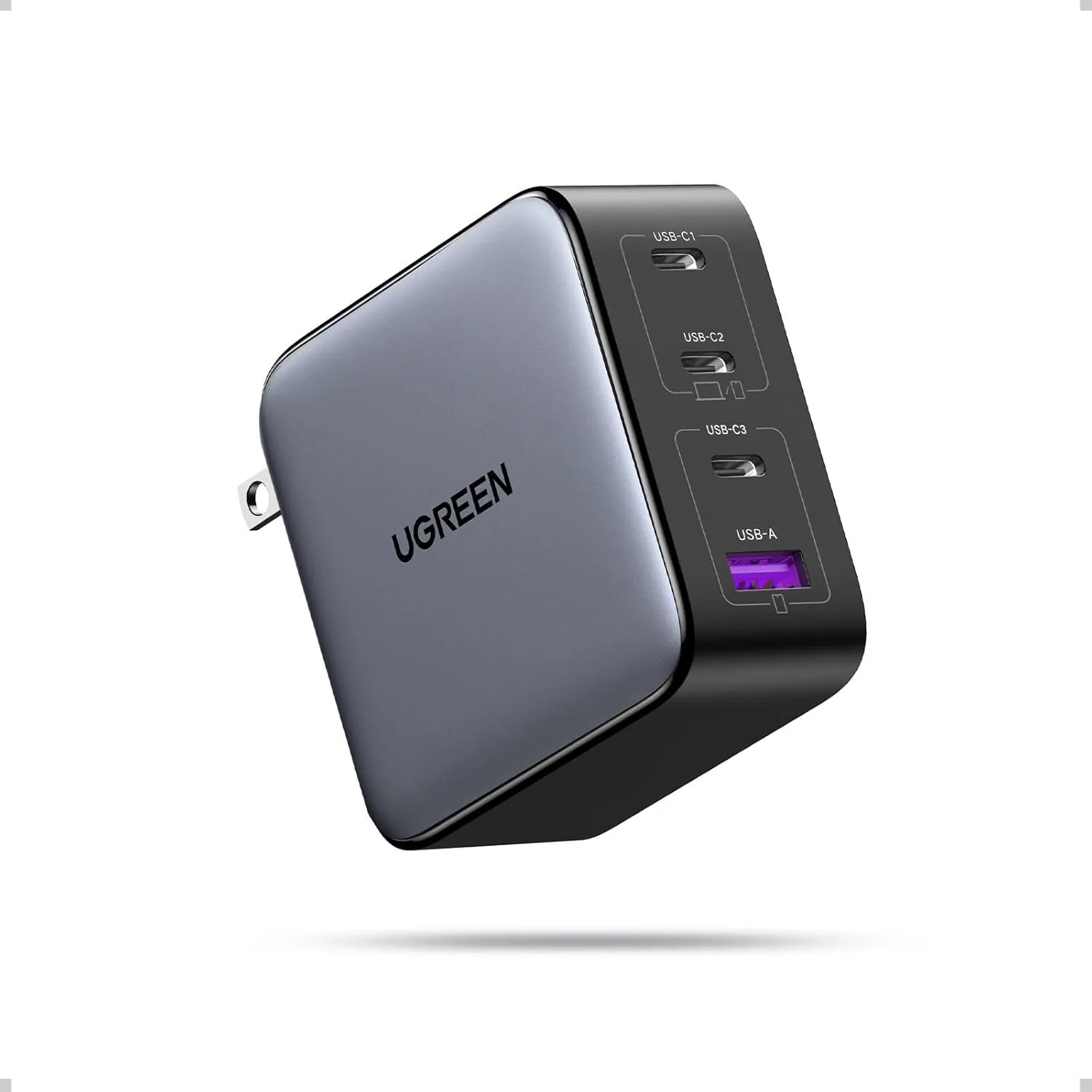 USD 30.63
UGREEN Nexode 100W GaN USB C Charger, 4-Port Compact Foldable Fast Laptop Charger Power Adapter for MacBook Pro/Air, iPad Pro, iPhone 17/16/15 Series, Galaxy S25/S24, Pixel 10/9, Steam Deck, Pixelbook
100W Max fast charge: Connect a single USB C device for up to 100W of power, maximum supp…
View Details USD 40.49
Anker Prime Charging Station, 250W 6-Port GaN USB C Charger, 2.26" LCD Smart Display Control, Compatible with iPhone, Galaxy, MacBook, Dell for Home Office, Gaming Desk Accessories
Super Fast 250W Output: Experience the convenience of high-capacity charging with this 25…
View Details USD 52.48
Anker Prime Charging Station, 200W 6-Port GaN Desktop Charger | Fast Charging USB C Charger for Multiple Devices, Compatible with iPhone, Galaxy, MacBook, Dell and More
Ultra-Powerful Charging Station: Experience the convenience of powering six devices at on…
View DetailsRelated Articles
- Portable Massage Gun Buying Guide for Travel, Work, and Gym Bags
- Premium Massage Gun Buying Guide for Advanced Home Recovery
- Desktop Charging Station Buying Guide for Creative Workstations
- Desktop Charging Station Buying Guide for Dorm Room Device Charging
- Anker Prime 250W 6-Port GaN Charging Station Buying Guide
- Desktop Charging Station Buying Guide for Minimalist Desk Setups